
Compare
AutoCount AI Smart Scan: Credits, Price, and What It Does Not Do.
A useful way for a business to capture its own receipts into AutoCount. For a firm keying supplier invoices across many client books, the shape of the problem is different — here is where.
The Facts
AutoCount AI Smart Scan at a glance
Taken from AutoCount’s store description and AutoCount dealer pages as at 3 September 2026.
| What it is | AI document scanning for AutoCount: scan or upload text, PDF or image files and the AI extracts the data |
| Intake | WhatsApp, or image / PDF upload |
| What it does | Audits receipts for valid claims, captures creditor, date, item details and tax, assigns GL code, imports into AutoCount Cashbook |
| Extras | Duplicate receipt detection, item-vs-total variance check, expense dashboard by user / branch / category, auto e-filing, cash sales from a handwritten bill, QR for e-Invoice requests |
| Credits | 10 free per account book for first-time users; about RM10 per 200 additional credits per month (dealer-listed) |
| Availability | Listed with AutoCount Cloud plans on dealer pages; confirm for local AutoCount with your dealer |
| Scope | One AutoCount account book at a time |
For Accounting Firms
Four points where a firm needs more
None of these matter for a business scanning its own receipts. All of them matter by the fifth client book.
Built for expenses and cash sales, not the AP pile
Dealer pages describe Smart Scan as receipts → Cashbook, claim auditing, and cash sales from a handwritten bill. A firm’s heaviest work — a month of supplier purchase invoices per client — is a different document flow.
Credits are per account book
Ten free credits per book, then packs. For one company that is fine. For a firm with fifty books it is fifty balances to watch, and a cost that scales with exactly the volume you were trying to absorb.
One book, one pile
Scanning happens inside a single AutoCount account book. There is no documented single queue across clients, no client upload link without an app, and no documented routing-out of quotations or delivery orders that landed in the wrong pile.
Check availability for your edition
Dealers list Smart Scan alongside AutoCount Cloud plans. If your clients run AutoCount on a local machine, confirm with your dealer what applies before planning around it — we could not find an availability statement on AutoCount’s own store page.
The Other Layer
What a firm workflow adds on top of AutoCount
BalanceNow does not replace AutoCount. It sits in front of it, for every client book at once.
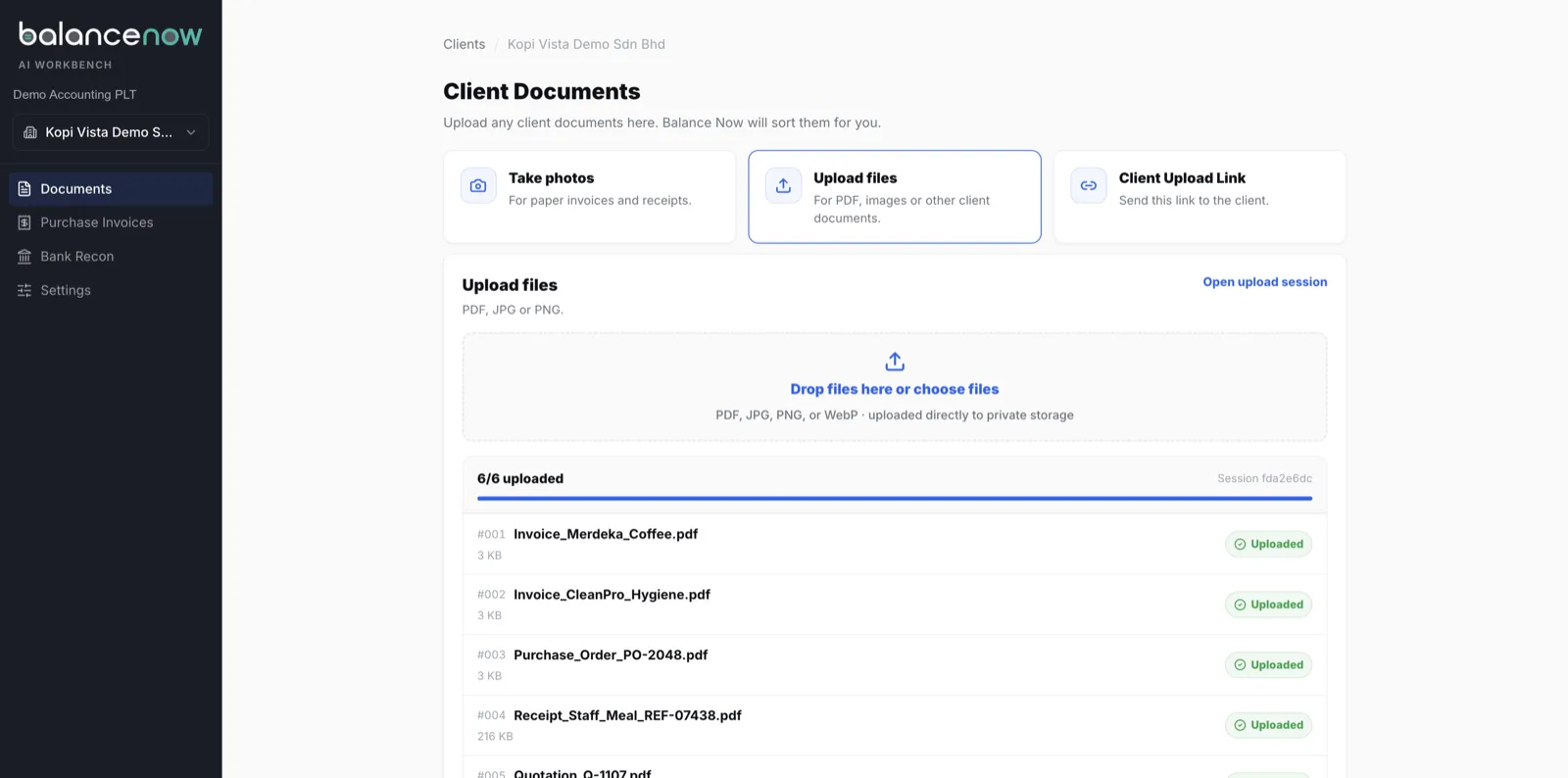
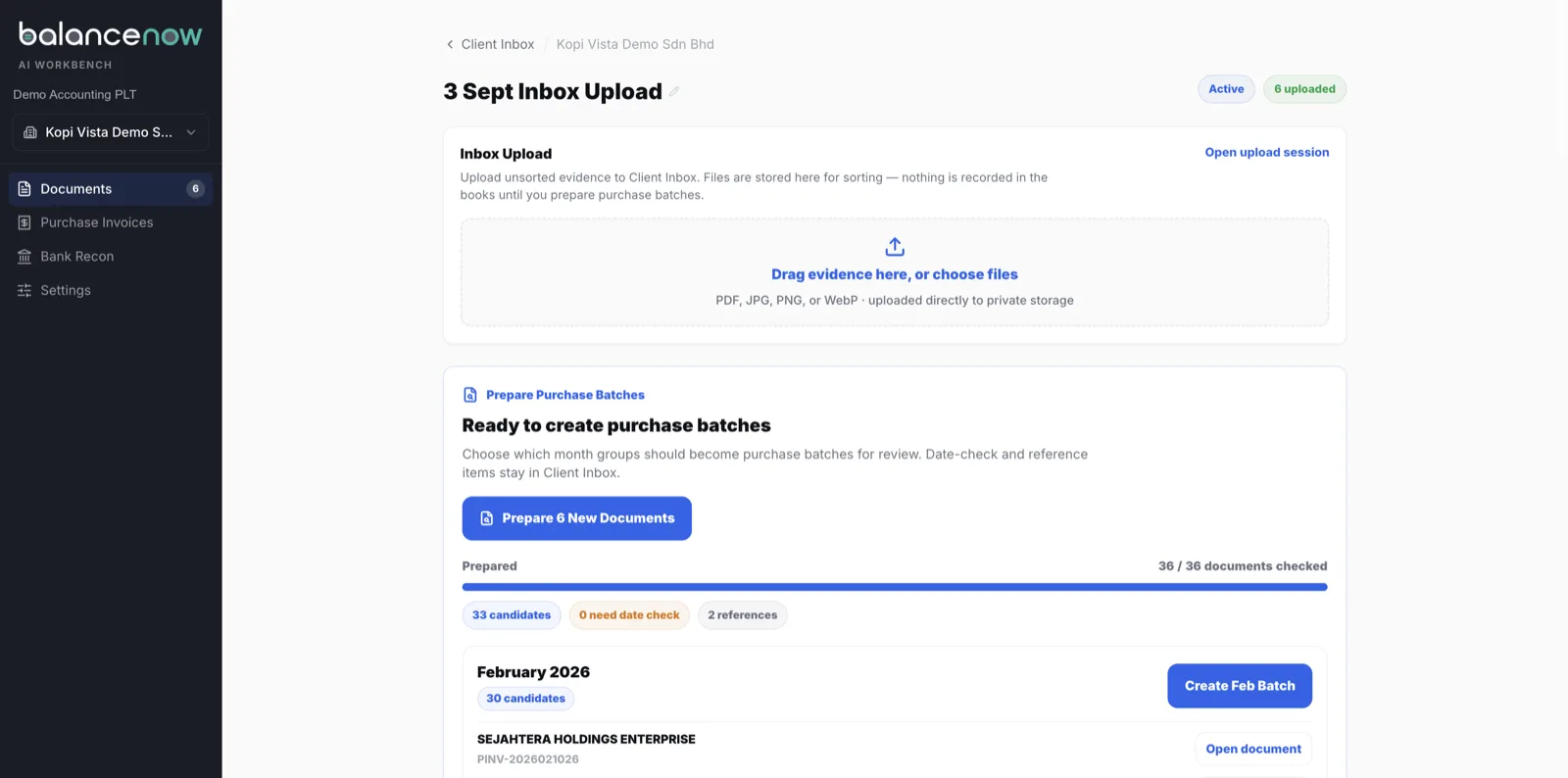
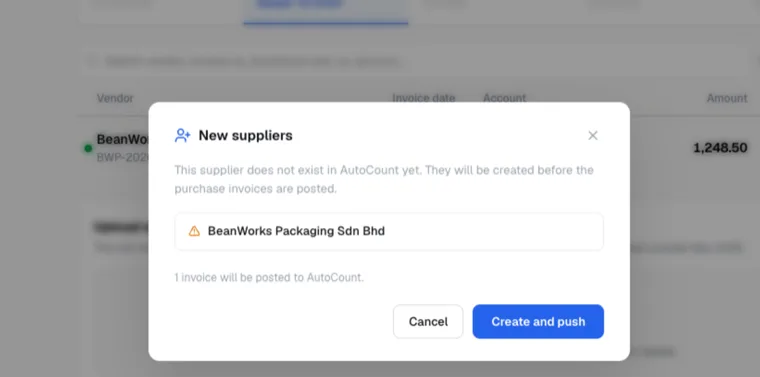
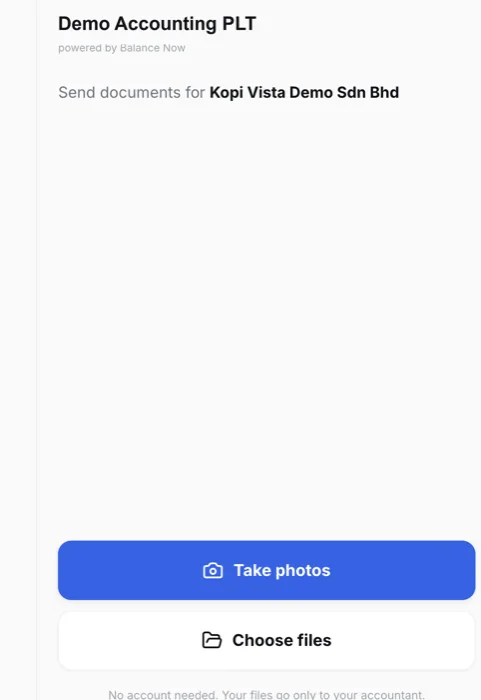
Clients drop documents through a link — no app, no login — or you upload the month in one go. A 30-invoice PDF becomes 30 records. Quotations, delivery orders and bank slips are routed out before a reviewer sees them, and do not count against your quota. New suppliers are created in AutoCount on first sight. Every client’s entries sit in one review queue, and each approved purchase invoice posts into AutoCount — cloud or local — with the source document attached. Plans are flat per month, not per credit.
If you prefer AutoCount’s own import route, the mechanics are in our AutoCount Excel import guide and the local setup is in the on-premise AutoCount setup guide. The row-by-row view against a firm workflow is in Built-in scan vs a firm workflow; the wider comparison is in our 2026 AP automation comparison, and the SQL equivalent in our SQL AI EasyScan guide.
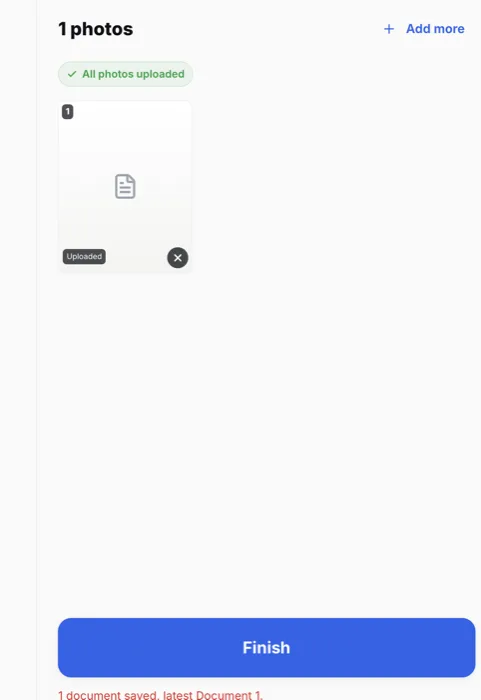
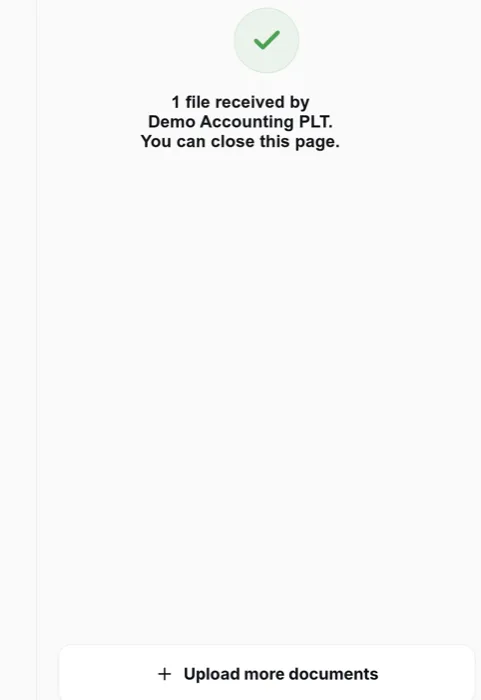
Seen, Not Described
What the firm layer looks like
Demo workspace, synthetic documents, real screens — captured 3 September 2026.
No Call, No Form
Test us with 10 real invoices.
WhatsApp us 10 invoices from any client. Messy ones welcome. We run them through BalanceNow and send back the entries the same business day.
WhatsApp 10 invoices nowQuestions
AutoCount AI Smart Scan FAQ
- How much does AutoCount AI Smart Scan cost?
- AutoCount dealer pages state that first-time users receive 10 free credits per account book, and additional credits cost “as low as RM10 for 200 credits per month”. AutoCount’s own store page describes the feature but did not show a price when we checked, so treat the dealer figures as indicative and confirm with yours.
- What does AI Smart Scan actually do?
- You send receipts by WhatsApp or upload an image or PDF; the AI audits the receipt, captures creditor, date, line items and tax, assigns a GL code, and imports the result into AutoCount Cashbook. It also detects duplicate receipts and item-vs-total variances, offers an expense dashboard by user or branch, files each receipt for retrieval, and can raise an AutoCount cash sale from a photographed handwritten bill.
- Does Smart Scan work with local (on-premise) AutoCount?
- Dealer listings place it with AutoCount Cloud plans. We could not find an AutoCount statement on on-premise availability, so ask your dealer for your specific edition and version. BalanceNow posts into both AutoCount Cloud and local AutoCount.
- Can it process a PDF containing many supplier invoices?
- The published material describes receipt-by-receipt scanning into Cashbook. There is no documented step for splitting a multi-invoice PDF into separate purchase invoices, which is the common shape of a client’s month-end bundle. Test it with a real bundle before relying on it.
- What is the difference between AutoCount AI Smart Scan and BalanceNow?
- Smart Scan is a receipt-scanning feature for one AutoCount book, priced per credit — a sensible way for a business to capture its own expenses. BalanceNow is a layer for the firm: one review queue across every client book, a client upload link with no app or login, a 30-invoice PDF split into 30 records, quotations and delivery orders routed out, suppliers created on first sight, and approved purchase invoices posted into AutoCount — cloud or local — with the source document attached. Plans are flat, not per credit.
Sources
Where these facts come from
- AutoCount Store — AI Smart Scan (feature description).
- AutoCount Johor Bahru — AI Smart Scan (workflow, audit features, dashboard, cash sales).
- IT Simple System Solutions — AutoCount pricing (10 free credits per account book; RM10 per 200 credits).
We build a product that posts into AutoCount, so we have an interest here. Everything above about Smart Scan comes from AutoCount’s and its dealers’ published material, not our testing, and features and credits change — confirm with your dealer before deciding.
Last reviewed 3 September 2026 · BalanceNow team · Questions? hello@balancenow.com.my
Get Started
Bring one client’s messiest month. We’ll post it into AutoCount.
20 minutes on your own documents — AutoCount Cloud or local — and you decide whether the firm layer is worth it.